Front Desk
Check a guest out
Find today's departures, settle the folio to zero, issue the receipt — and know what the balance gate will and will not let past.
Terakhir diperbarui
Who this is for: Front Desk, Manager, Owner — requires
frontdesk.checkout. Where: Front Desk → Reservations → open the booking
Check-out is the mirror of check-in, and it lives in the same place: on the stay, on the booking's own page. A shift is finished when every departure has left and every balance is zero.
Find today's departures#
- Open Front Desk → Reservations.
- Set Filter dates by to Check-out date.
- Put today in From and To.
Every booking due to leave, with its room and its status. Select a booking code to open it.
Check a guest out#
- Open the booking and find the stay. An in-house stay offers Check out.
- Select Check out. The flow opens with the folio balance at the top.
- If there is a balance, enter the Final payment amount and choose the method — card, cash or other.
- Select Check out.
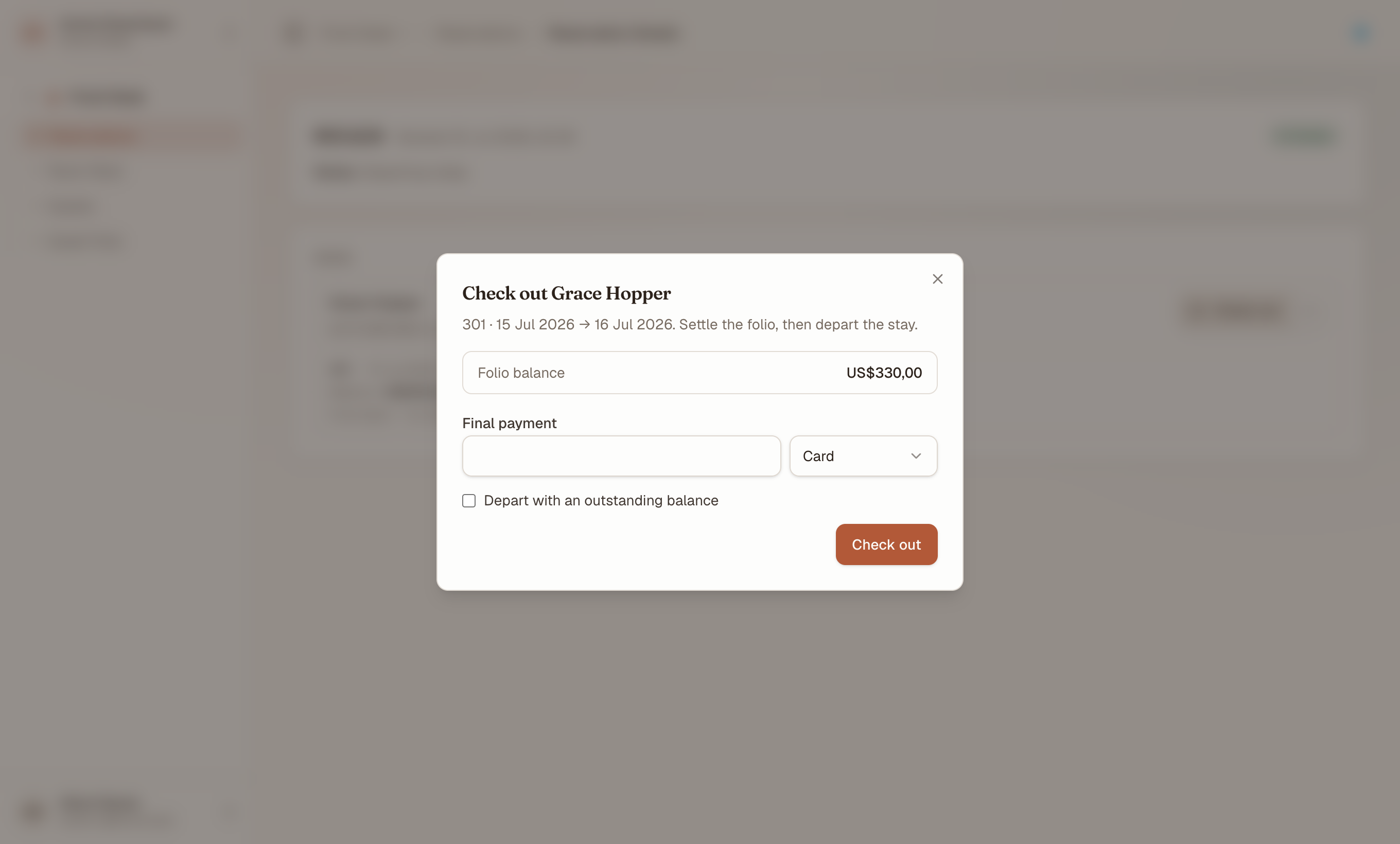
What is owed is stated before anything is committed, in the property's own currency — the number you are about to settle, not one you have to go and look up.
On success the flow shows the receipt number and total, the stay moves to departed, and the room drops to dirty on the room status board with no manual step.
Catatan
On staging, a card payment is recorded against the folio without a real authorisation — no gateway is wired. In production the gateway responds before the payment posts, and a decline stops the flow. Never enter a real card number on staging.
Clear the balance gate#
A stay with money owing does not check out by accident. Submitting with an outstanding balance and nothing else set is refused — the balance is stated in the flow so the number is in front of you before you commit.
Three ways through it:
- Take the balance in full. The ordinary case: the payment posts, the balance reaches zero, and the receipt is issued.
- Take part of it, then the rest. Any payment reduces the balance; check out once it reaches zero.
- Override. Tick Depart with an outstanding balance to depart the stay with money still on the folio.
Penting
An override departs the guest but does not clear the debt. The folio stays open with its balance, which is what the night audit and Receivables will surface. Use it for a company account that will be invoiced, not to make a difficult conversation go away.
Settle a folio without checking out#
Check-out settles the guest folio. A stay with more than one folio — a company account, an OTA account, a group's master — has balances the departure flow does not touch.
Settle those on Front Desk → Guest Folio, which offers Settle & invoice on each folio once its balance is zero. See folios and group bookings.
Read the folio after departure#
A settled folio keeps everything: every posting, every payment, and the numbered receipt. Reopen it from Guest Folio by selecting the stay — departed stays stay selectable, because the questions about a bill arrive after the guest has gone.
What's next#
- Folios: post, split and transfer charges — what makes up the balance you just settled
- Taking payments and issuing refunds — refunding a deposit after departure
- The room status board — where the room goes next