Konsep
Realms
A realm is an identity domain. One account can belong to several, and crossing between them is a deliberate act, not a navigation.
Terakhir diperbarui
Who this is for: anyone with access to more than one kind of portal — most often an Owner or Manager who is also an affiliate partner.
A realm is an identity domain: a self-contained world of data and permissions that an account can be inside of. Nerve has more than one — the customer workspace you operate a hotel in, and the partner portal an affiliate runs their business from, are different realms rather than different pages of one.
Why it exists#
An organisation and an affiliate partner are not the same kind of tenant, and the boundary between them is not the kind you want a stray link to cross. A partner sees commissions, statements and payouts across the properties they refer. An operator sees guests, folios and revenue. Neither should be able to drift into the other because a browser tab was left open.
A permission check alone would not be enough. Permissions answer what may this person do here; a realm answers which world are they in, and it is the second question that keeps a partner's payout detail out of an operator's session and a guest's folio out of a partner's.
What it means for you in practice#
If your account belongs to one realm, you will never see any of this. Sign-in resolves straight into it — there is nothing to choose, and no step-up to clear.
If your account belongs to more than one, sign-in stops here first: your portfolio, the table of every property you reach in your customer organisations, with an Affiliates button in the header for the partner realm.
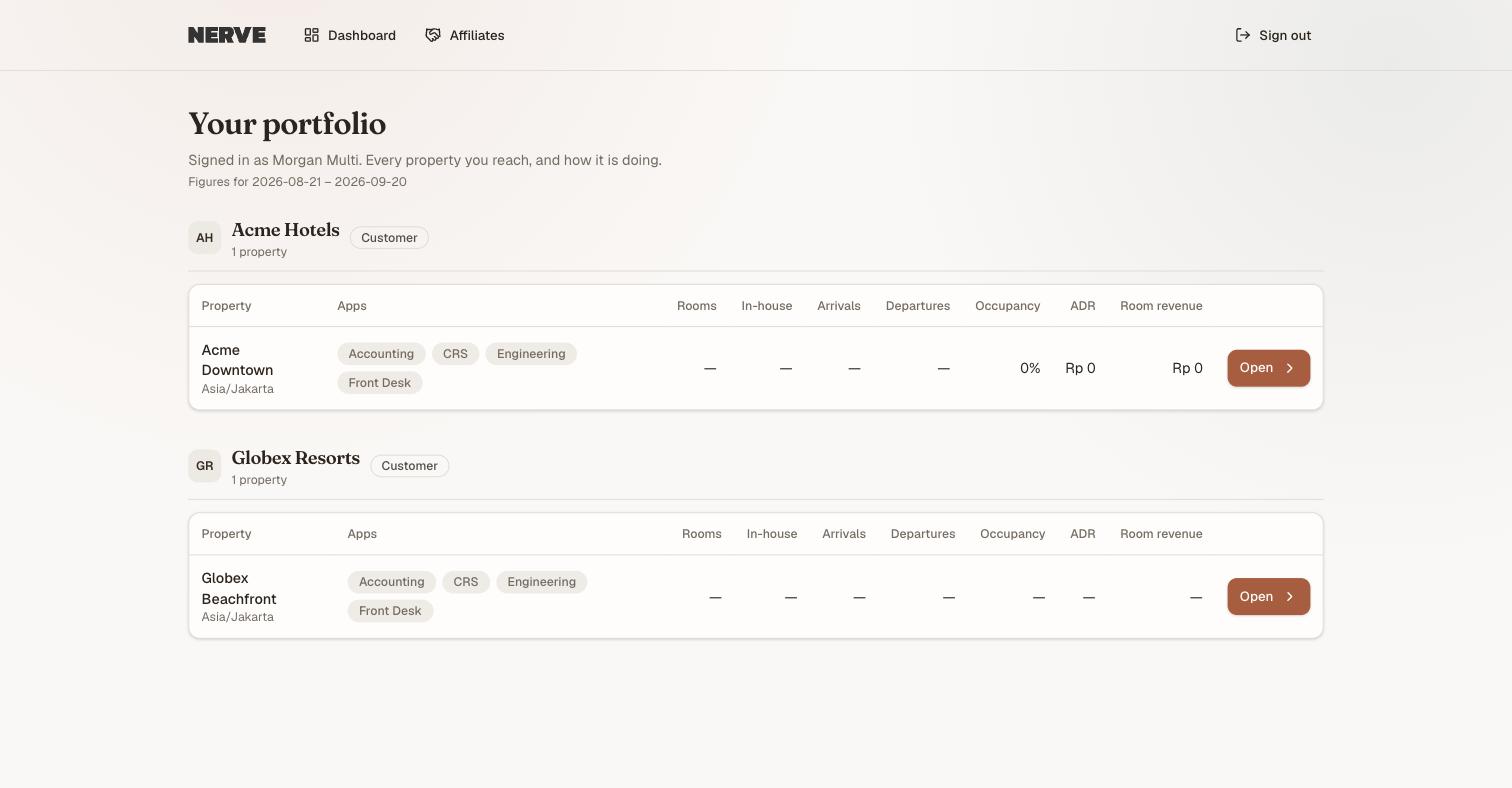
What one account's realms look like at sign-in. Affiliates sits in the header rather than in the list below, because it is a different kind of realm, not another organisation — crossing into it is a header action, not a row you open.
- After sign-in you are shown your portfolio rather than being dropped somewhere by default — see Workspaces, organisations and properties for what the page itself covers.
- Crossing into a realm of a different kind — the partner portal, when you work in a customer workspace — asks you to re-enter your password. That is step-up authentication: the session you already hold is not, on its own, permission to cross.
- The grant that results is short-lived and scoped to that realm. It expires. Coming back later means stepping up again — and stepping up into one realm grants nothing in any other.

The step-up. Nerve names the reason rather than simply asking again, because being asked for a password you have already typed is otherwise indistinguishable from something having gone wrong.
Moving within a realm is not a crossing, and costs nothing. An account with access to two customer organisations opens either one directly from the portfolio table, with no prompt — what the header button separates is realms from each other, not organisations from each other. The workspace you are currently in is named in the sidebar header, along with the realm it belongs to.
So crossing realms costs a password, every time the grant lapses. That is the intended price. It is the same reason a bank asks again at the transfer screen even though you are already signed in.
Where to see it in the product#
The Affiliates button appears in the portfolio home's header immediately after sign-in on a multi-realm account. Step-up policy — which actions demand it, and how long a grant lives — is administered under Settings → Escalation, which requires core.stepup.manage.
See also Roles and what each one can do, which covers the other half: what you may do once you are inside a realm.