Accounting
Accounts payable
A supplier bill goes draft, approved, paid — and cannot skip the middle step. Entering one and approving it are deliberately separate permissions.
Last updated
Who this is for: Accountant and Owner — entering a vendor or a bill requires
backoffice.ap.create; approving one and paying it requirebackoffice.ap.approve. Where: Accounting → Payables
Payables is what the hotel owes its suppliers. A bill moves through three states and no others:
draft → approved → paid
The arrow in the middle is the point of the screen. A bill cannot be paid until it has been approved, and approval is a different permission from entry, so the person who keys a supplier invoice need not be the person who commits the money.
Enter a bill#
- Select New bill.
- Pick the supplier under Vendor — or type a name into …or a new vendor name to create one as you go.
- If you are creating a vendor, choose its Supplier segment — the field appears as soon as you type a new name.
- Enter the supplier's own invoice number under Reference.
- Enter the Amount.
- Set the Due date. It defaults to today.
- Select Create bill.
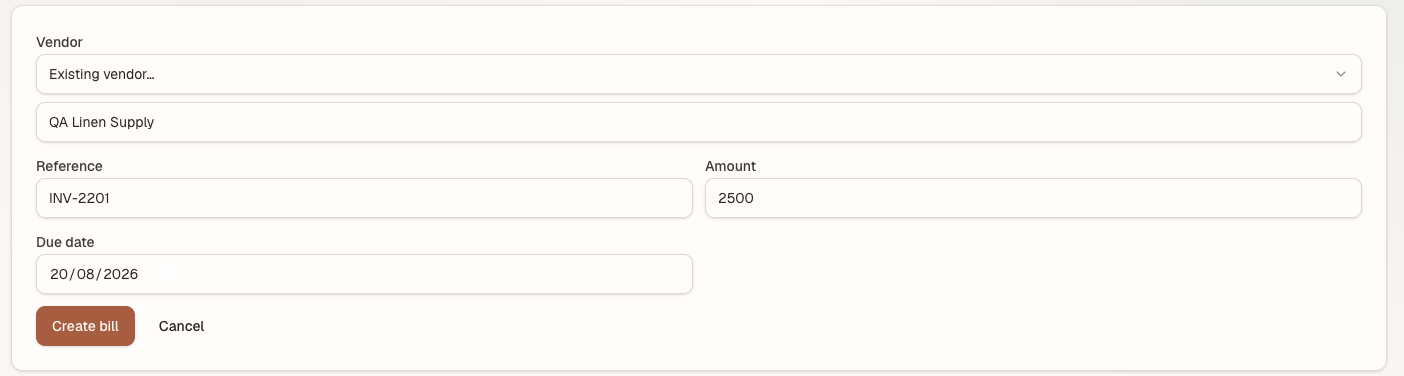
Naming a vendor here creates it along with the bill. Reference is the supplier's own invoice number, not yours.
The bill appears in the list as draft, with the vendor, the reference, the due date and the vendor's segment on it.
A draft bill has posted nothing. Nothing is owed on the books yet, and it does not appear in AP aging — it is a record of a piece of paper somebody handed you.
Important
Read the amount back off the row before you approve. The row is what the ledger will take, and approving is the point at which the figure stops being a note to yourself and becomes a liability on the books. A draft with the wrong number costs nothing to abandon; an approved one has already posted.
Tip
Naming a new vendor in the form creates the vendor and the bill in one go. The vendor is reusable from then on, so it is worth typing the supplier's name the way you want to read it for the next hundred invoices.
Classify a supplier#
Supplier segment is what kind of supplier this is — Food, Beverage, Amenities, Engineering, Services, Other, or Not recorded. The segment belongs to the supplier, not to the bill, which is why the field only appears when you are creating one.
Once set it does two things:
- Every bill from that supplier carries it, and the segment filter above the list narrows to one segment — "show me what I owe the food suppliers".
- The AP aging report groups and filters by it.
The list of segments is the house's own supplier_segment reference list under Reference Data — the same list Procurement's suppliers use. Rename an entry there and it changes on both screens, because there is only one list.
Approve a bill#
- Find the draft bill in the list.
- Select Approve.
The badge turns approved, and the ledger takes it: 5000 Operating Expenses debited, 2000 Accounts Payable credited, for the full amount. From this moment the hotel's books say it owes the money.
The entry is dated the bill's due date, not the day you approved it, so an invoice approved late still lands in the period it belongs to.
Who approved it is recorded against the bill.
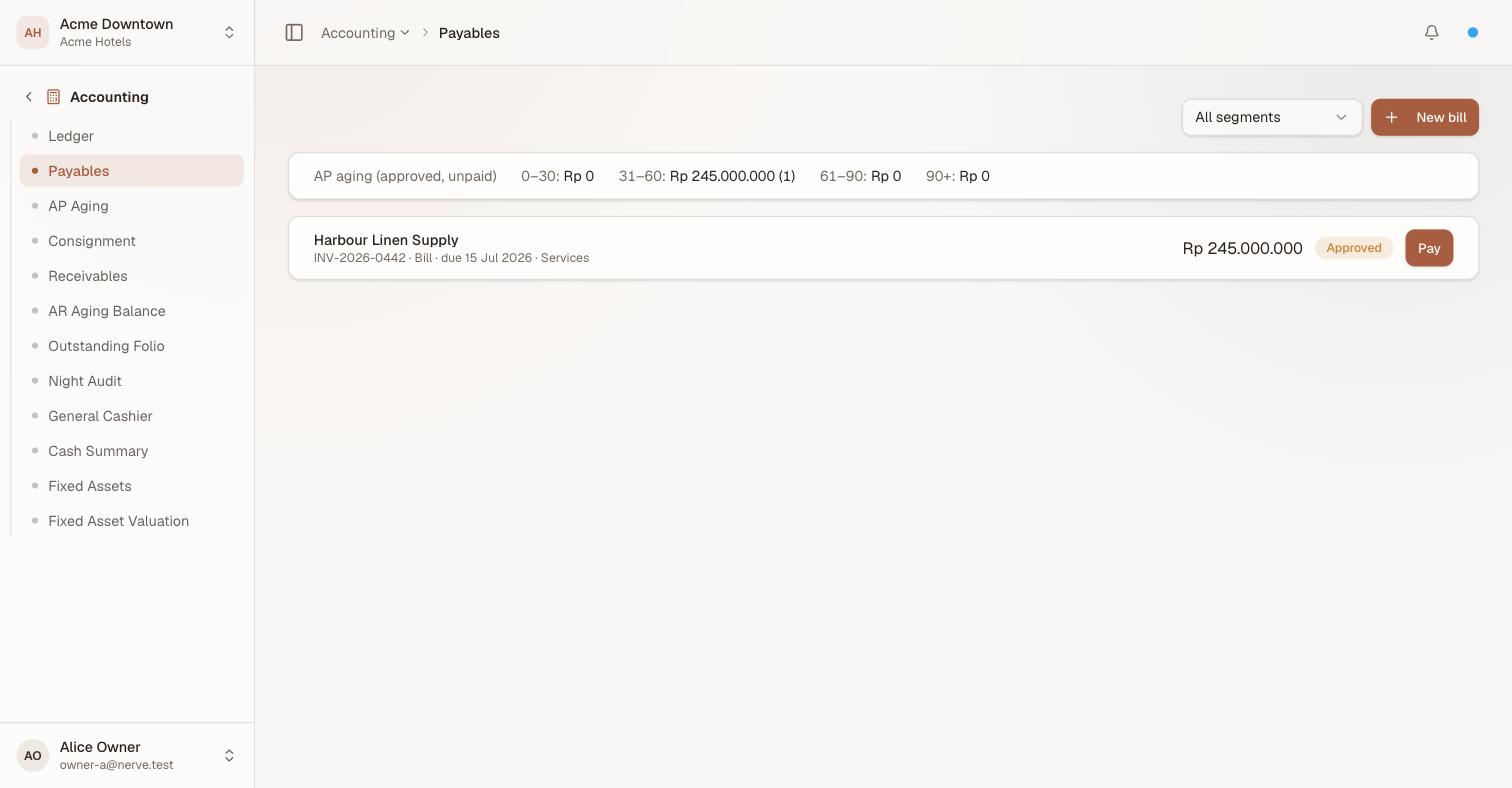
Approval is what puts a bill into the aging strip. The segment rides on the row beside the reference, so the list can be read by supplier type without opening the report.
Pay a bill#
- Find the approved bill.
- Select Pay.
The badge turns paid and a second entry posts: 2000 Accounts Payable debited, 1000 Cash & Bank credited. The liability is discharged and the cash has left. This entry is dated the property's current business date — it is money moving today, not an invoice belonging to a period.
The approval gate#
The gate is real, not a hint. Two things enforce it:
- On screen, the Pay button exists only on an approved bill. A draft offers you Approve and nothing else.
- Underneath, an attempt to pay an unapproved bill is refused outright, with
a bill must be approved before it can be paid. There is no route round the button.
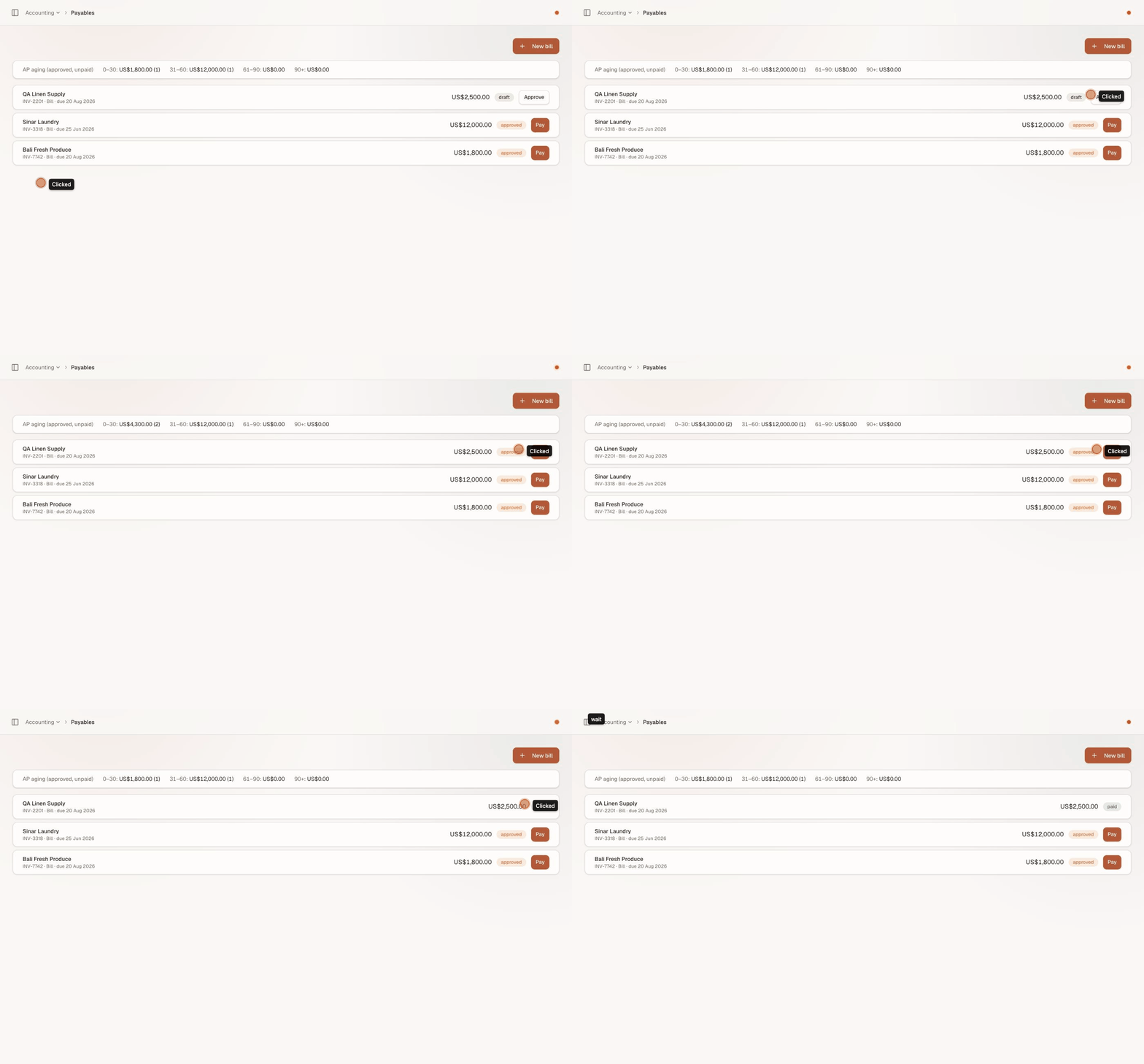
draft → approved → paid, and the buttons are the gate: a draft offers you Approve and nothing else. Watch the aging strip pick the bill up on approval and drop it again on payment.
The two permissions are what let you separate the roles:
| Permission | Lets you | Gates |
|---|---|---|
backoffice.ap.create |
See vendors and bills, create a vendor, enter a bill | Payables appearing in your menu at all |
backoffice.ap.approve |
Approve a bill, and pay it | Both Approve and Pay |
The default Accountant bundle carries both, so out of the box one person does the whole run and the split is invisible. It becomes visible the moment you build a custom role — a bookkeeper role holding only backoffice.ap.create can enter every supplier invoice in the house and commit none of them, which is usually exactly what a house wants once it is bigger than one back office.
Note
Payment here means the bill is recorded as settled in Nerve's books. Nerve does not move money at your bank; you make the transfer, then mark the bill paid so the ledger agrees with your bank.
Read AP aging#
The strip above the list buckets what you owe by how overdue it is:
| Bucket | Contains |
|---|---|
| 0–30 | Bills up to 30 days past due — and every bill not yet due |
| 31–60 | 31 to 60 days past due |
| 61–90 | 61 to 90 days past due |
| 90+ | More than 90 days past due |
Each bucket shows the total and, in brackets, how many bills make it up.

All three states at once, and the aging trap: Bali Fresh Produce is due in a fortnight, has never been late, and still sits in 0–30. Sinar Laundry is in 31–60 because it is 45 days past its due date — the buckets count days overdue, not how long you have had the bill. The paid bill is in no bucket at all.
A few things about it are worth knowing before you read a number off it:
- It counts approved, unpaid bills only. Drafts are not in it, and paying a bill removes it.
- Age is measured from the due date, against today's calendar date.
- A bill due next week has a negative age, which is clamped to zero — so 0–30 is not "overdue by up to a month", it is "not yet a problem". If you need to know what is genuinely late, read the three buckets to its right.
- The whole strip is hidden when nothing is outstanding, which is the empty state you want to see.
The strip answers "what is on my desk today", against today. For the period-end question — what the property owed on a given date, by supplier and by segment, with a print layout — use AP aging.
What's next#
- AP aging — the standalone, as-of-date report
- The ledger — the two entries every bill produces, in context
- Accounts receivable and the city ledger — the same shape, pointing the other way
- Suppliers — the procurement side of the same supplier record
- Daily and period reports — where the expense side surfaces